
To add a user to your course in theSpring, follow these steps:
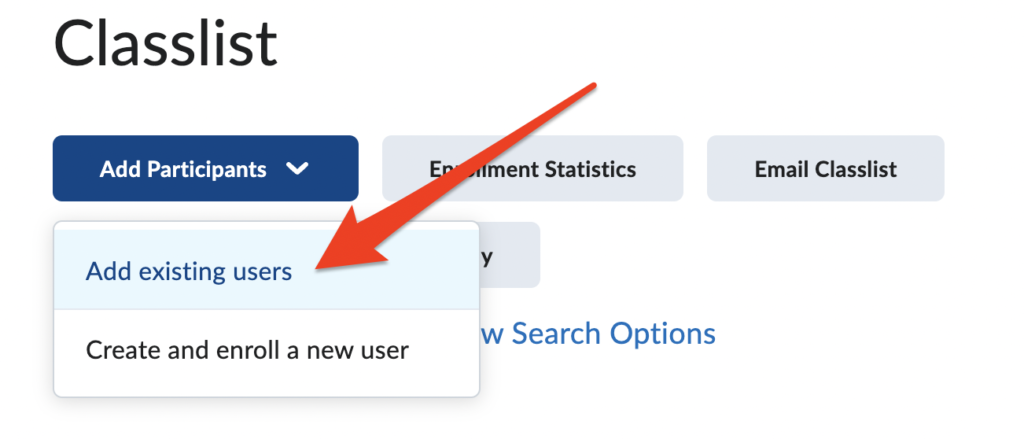
- Navigate to your Classlist
- Click on Add Participants > Add Existing Users
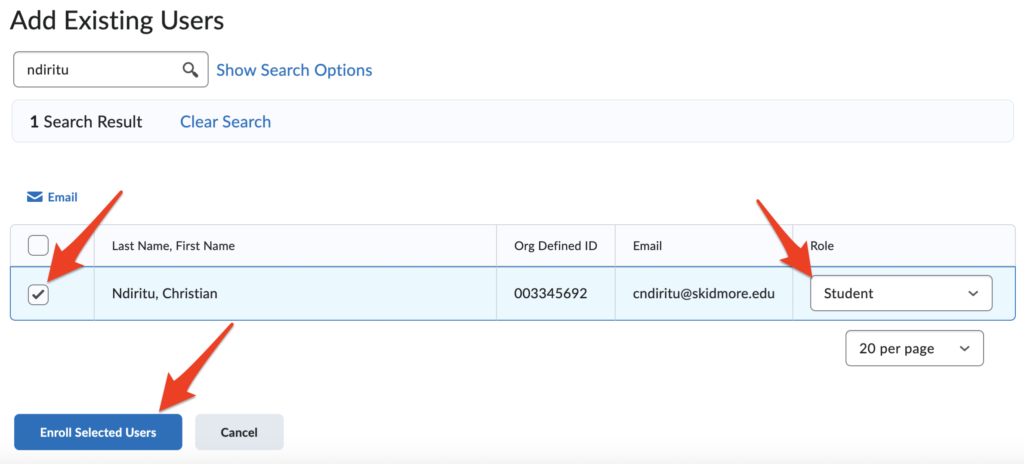
- Search for the user by first name, last name, or username (searching by last name is generally easiest)
- Check the box next to the user to be added
- Select appropriate Role and Section
- Click Enroll Selected Users
Regarding Roles:
These are some of the roles you may find most useful:
- Grader (teaching assistant responsible for grading) – access to assignments, quizzes, and grades, but cannot edit content
- Instructor (fellow faculty you’d like to grant access) – full privileges
- Learner (for a student attending the class but not enrolled) – same privileges as students but will not appear in Grade Book
- Peer Mentor (good for student assistants and peer mentors) – ability to edit course content, but not access grades
- Reviewer (department colleagues reviewing tenure, promotion, or reappointment files) – view only access
- Student-extended access – allows the student to access a past course that has become closed
To Remove a User:
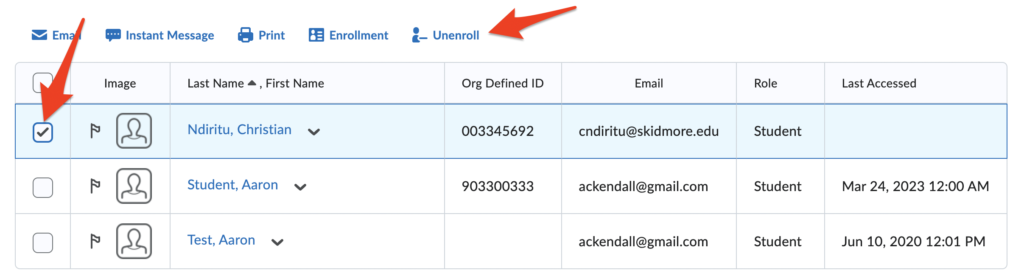
- Navigate to your Classlist
- Check the box next to the user’s name you would like to remove
- Click the button Unenroll
Note: Only System Administrators can remove Instructors from a course. To have an Instructor removed, contact Aaron Kendall (akendall@skidmore.edu).
